AR HUD Driving Research
Published Research
My Role
- Author
- Researcher
Tools
- Driving Simulator
- AR HUD
- NASA-TLX
- Mixed-Methods Analysis
Timeline
- 2021
Description
Challenging industry assumptions in Augmented Reality (AR) Heads-up Display (HUD) design
Context
When I think about in-vehicle displays, I usually assume they’re a hazard. It's another distraction pulling our eyes off the road. But as we look toward future tech like Augmented Reality (AR) and Heads-up Displays (HUDs), I wanted to flip that assumption on its head and answer a different question: Could AR HUDs actually make us better drivers?
This is especially crucial during long, monotonous drives. When drivers are understimulated they can often feel drowsy or tired which are massive safety concerns. To see if AR could actually help keep drivers engaged and improve their performance, I ran a formal user study. We put participants in a driving simulator to test how interacting with a low-cognitive-load AR task affected their driving performance.
Validating Emerging Tech Through User Research
- The Challenge: In high-stakes environments like driving, the default design rule is usually 'less is more.' The assumption is that throwing any new digital information at a user just adds distraction.
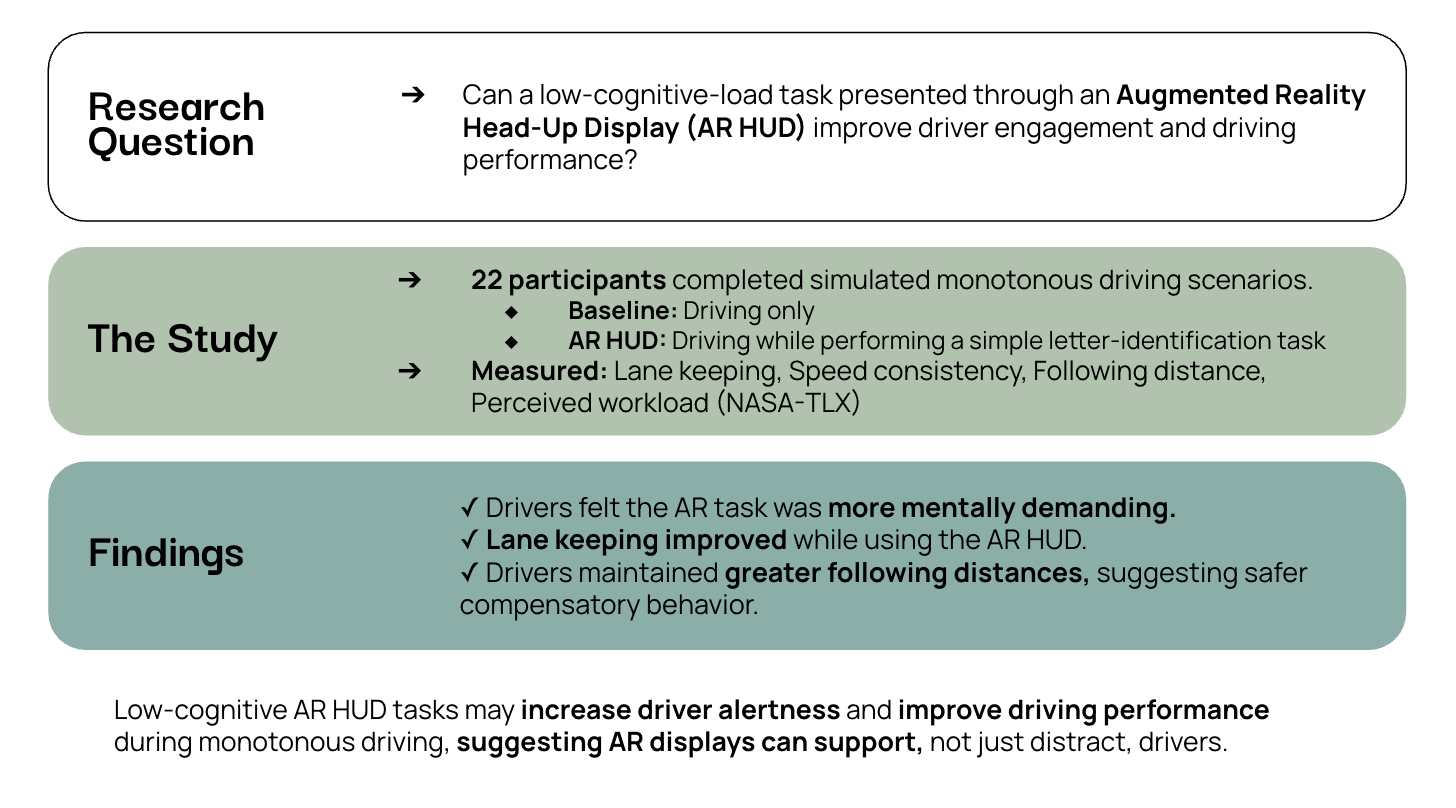
How We Ran the Study
- The Methodology: Adapted federal NHTSA distraction guidelines and designed a controlled, mixed-methods user study.
- The Test Group: Built a balanced testing pool of 22 participants.
- The Environment: Used a medium-fidelity driving simulator to track driving behavior (lane keeping, following distances).
- The Metrics: Combined vehicle driving data with subjective workload ratings using NASA-TLX the industry-standard NASA-TLX index to measure perceived cognitive workload.
Key Takeaways
1. What users say isn't always what they do
Data
Interestingly, drivers reported that the AR HUD felt more demanding than driving without it. But the simulator's driving data told a completely different story. Driver's actual performance significantly improved when the AR tasks were active.
Finding
Users are not always the best at self-reporting cognitive workload. When you are validating novel tech, qualitative feedback only tells half the story. You have to back up what users say with hard data.
2. Fight "drowsiness" with small interactions
Data
On long, monotonous drives, a driver's attention naturally bottoms out. By strategically introducing quick, low-effort AR tasks, we essentially broke up the boredom. This kept drivers alert, stabilized their reaction times, and prevented them from tuning out.
Finding
In high-consequence, low-stimulation environments, a totally silent interface isn't always the safest choice. We can strategically use interactions to gently pull users back into the loop and keep them attentive.
3. Design for cognitive load, not time-on-task
Data
We tested secondary tasks of varying durations, fully expecting longer tasks to degrade focus. Surprisingly, the length of the task had no measurable impact on driving performance.
Finding
When building features for complex systems, don't just obsess over "time-on-task." If the information is layered correctly, users can interact with it longer without a drop in performance
My Value Add
- Mindset: This project highlights my approach to early product discovery. I anchor my strategy in rigorous testing, using standardized benchmarks (NHTSA, NASA-TLX), and challenging baseline assumptions.